
Role: Solo developer · Tools: TypeScript, React, Three.js, Manifold, Vite, Cloudflare Workers
Overview
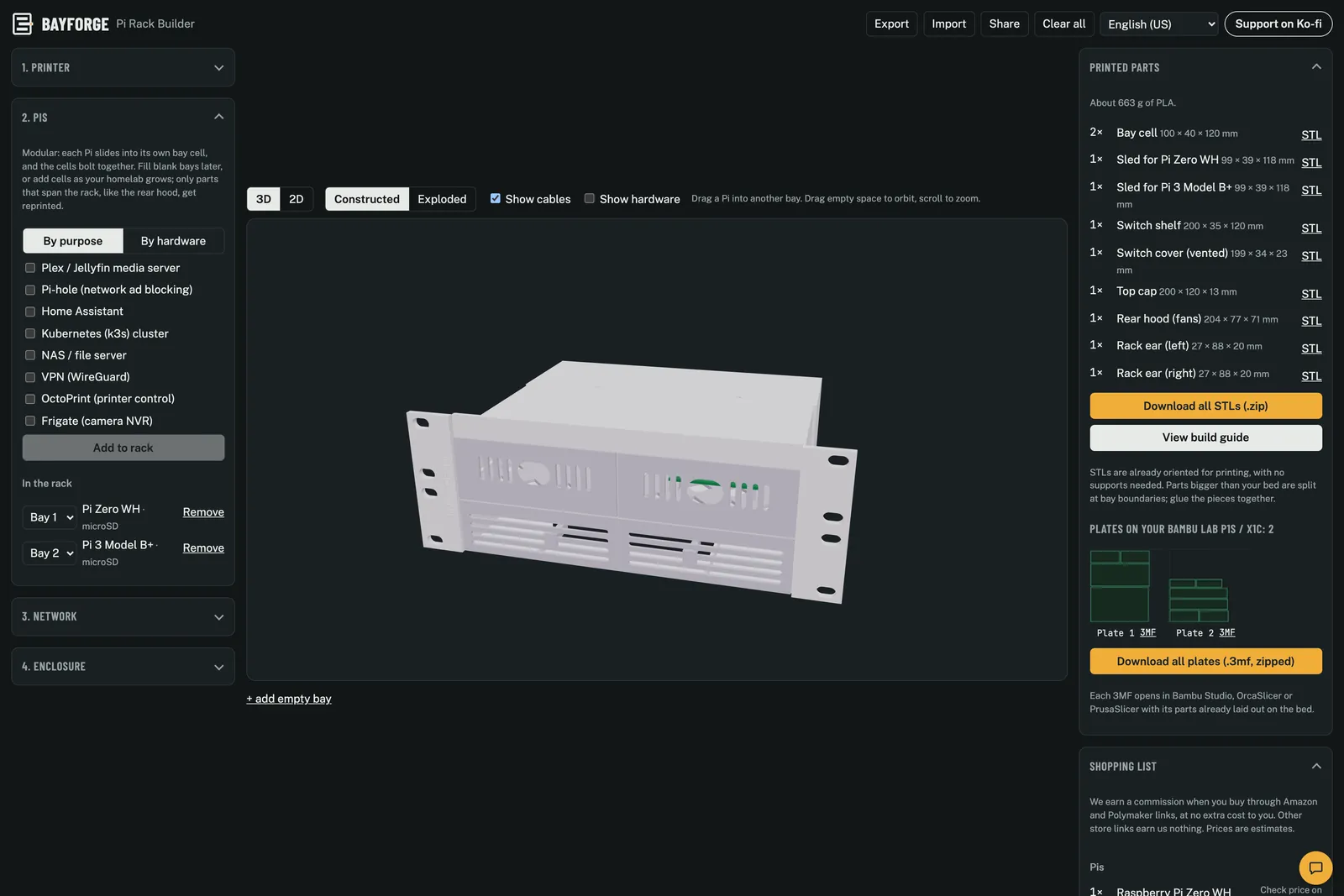
Bayforge is a free web app for designing a 3D-printable rack for Raspberry Pi computers and similar small boards. It runs entirely in the browser, with no backend, accounts or database. A build is saved in its share link.
How it works
- Start by purpose or by hardware. Pick what the rack is for (Plex/Jellyfin, Pi-hole, Home Assistant, a k3s cluster, a NAS, WireGuard, OctoPrint, Frigate) and it recommends the hardware, or choose the boards yourself.
- Configure the rest. A network switch (with PoE), displays, fans and your printer's bed size.
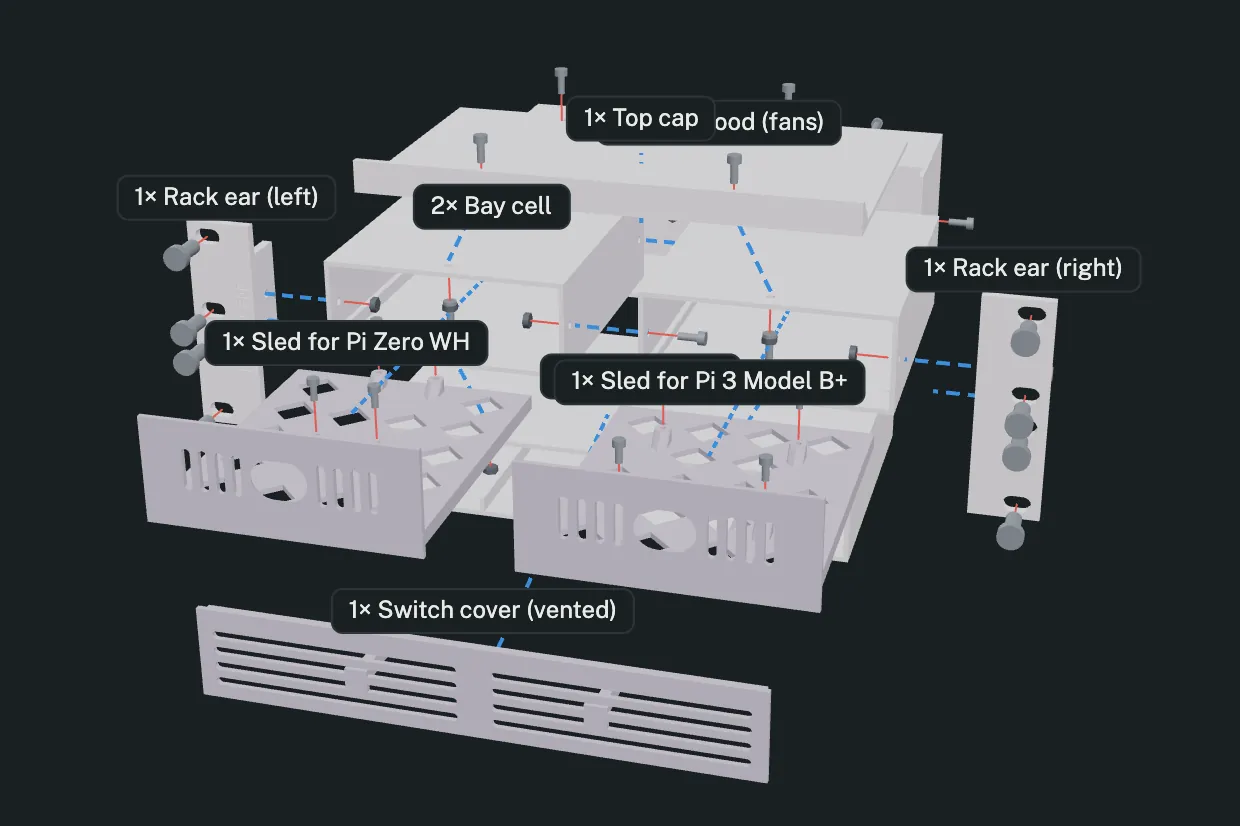
- See it in 3D. The rack is generated live, with a constructed view and an exploded view that shows every part, screw and nut.
- Print it. Parts too big for the bed are split at bay boundaries with a glue lap or dovetail tabs and laid out on plates. Download STLs, or 3MF plates that open in Bambu Studio, OrcaSlicer or PrusaSlicer, already oriented to print without supports. A build guide walks through assembly.
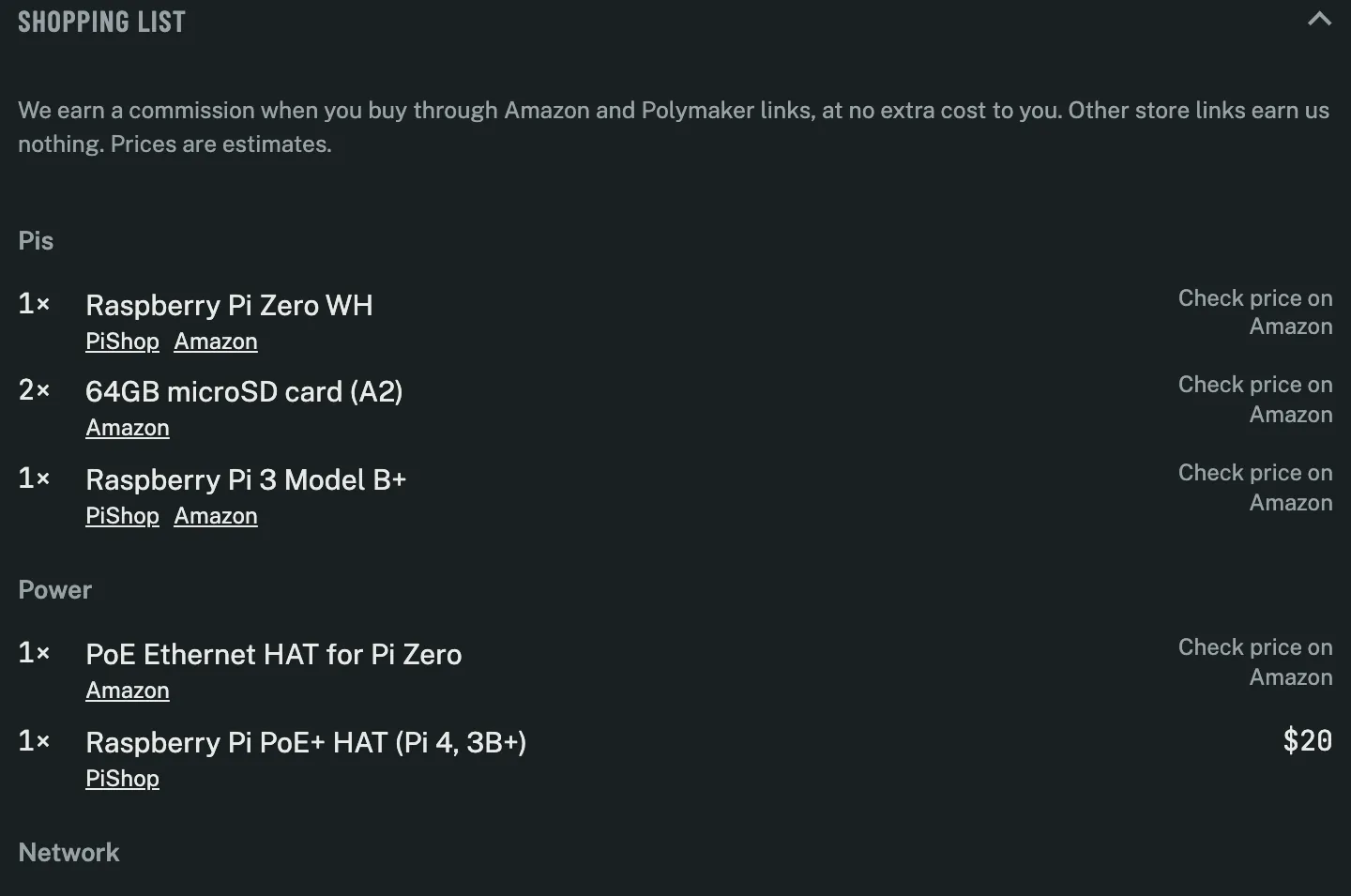
- Buy the rest. A shopping list covers the Pis, cables, fans, screws and filament.
- Options. Frame styles (Basic, Organic truss, Max airflow lattice), TPU or stick-on feet, and side handles.
- 11 languages: English, German, French, Spanish, Italian, Brazilian Portuguese, Dutch, Polish, Czech, Japanese and Simplified Chinese.
Explore the model
My own build: a 10" rack with a Pi Zero WH and a Pi 3 Model B+, a TP-Link TL-SG1005P PoE switch and a 40 mm fan, split to print on a Bambu Lab P1S.
Not affiliated with or endorsed by Raspberry Pi Ltd.